How to Use QR Codes to Get More Reviews From In‑Person Customers
Practical, step-by-step advice for local businesses on where to place QR code review requests, how to design them, what to say, and how to track results so you capture more reviews right after a great in‑person experience.

Why QR codes work for in-person review requests
QR codes remove friction: customers can go from happy to reviewing in seconds without typing URLs or searching for your business. A quick scan with a phone camera takes them to a review request, which is ideal for capturing feedback while the experience is still fresh. Many local businesses find that putting the ask in front of customers at the moment of peak satisfaction significantly increases response rates.
Best places to put QR code review requests
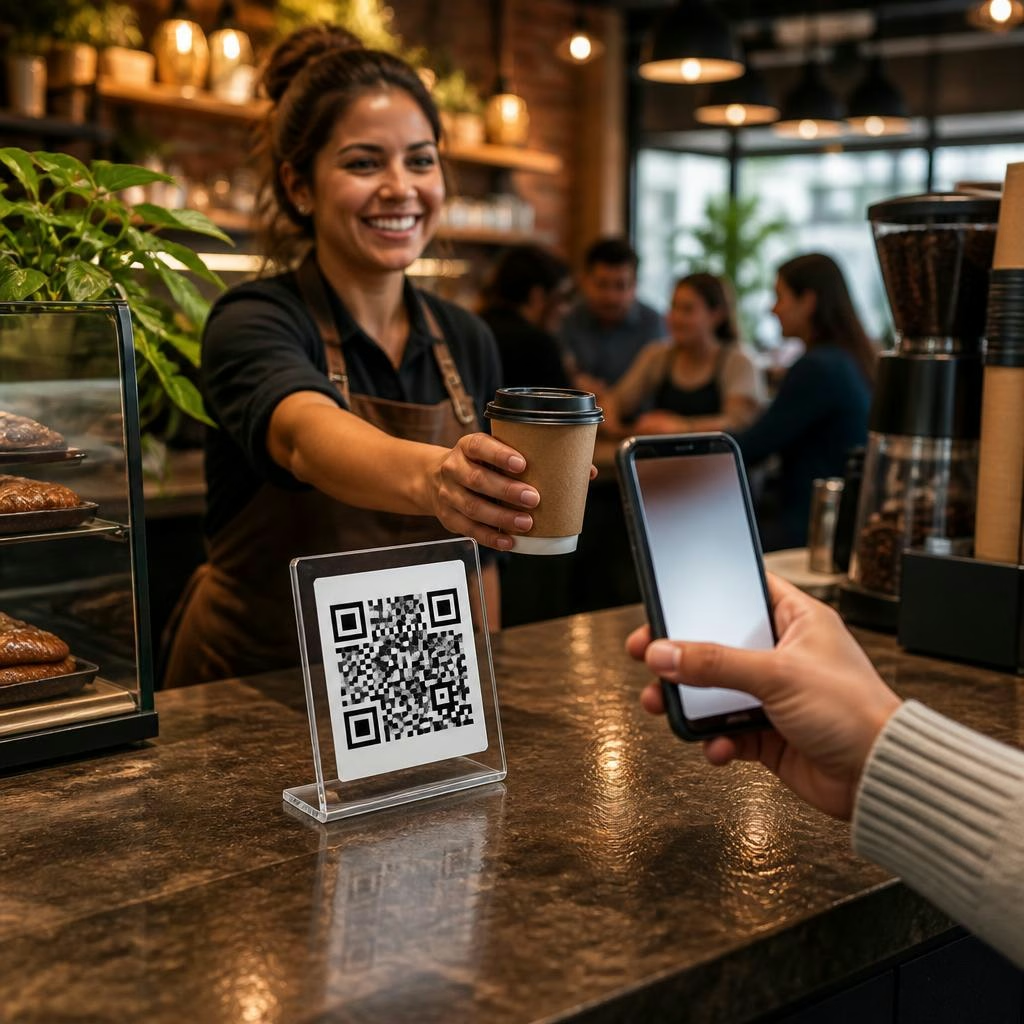
Put QR codes where customers naturally pause: checkout counters, tabletops, waiting-room chairs, service vehicles, kiosks, and receipts. Use tent cards at tables, window stickers at entrances, and vinyl decals on work vehicles. The goal is visibility without being intrusive — place codes where customers can easily bring out their phone and scan without interrupting staff flow.
Design tips that make people actually scan
Keep the QR code area clean and easy to scan: high contrast, at least 2 x 2 inches for printed materials, and surrounded by clear space. Add a short, friendly call-to-action like “Love your visit? Scan to leave a quick review” and use your logo so customers know the link is legitimate. If you include multiple options (Google, Facebook, a private feedback form), make that clear on the landing graphic so customers choose the option they prefer.
What the QR code should do after a scan
Make the post-scan experience as short as possible. Have the QR code open a mobile-optimised review request page that directs customers straight to the platform you want reviews on (Google, Facebook) or to a one-tap review prompt. If you prefer to capture private feedback first, send unhappy customers to a private form and satisfied customers to public review sites. Misfit Reviews supports QR-triggered review requests that can connect to multiple channels, keeping the path from scan to submit short.
How to set up QR review codes with a reputation platform
Use your dashboard to generate a unique QR code for each location or vehicle, and choose the destination for that code (Google, Facebook, or a hosted landing page). Put tracking parameters on codes so you can see which placements drive the most reviews. Display widgets can then pull your best reviews onto your website and social channels. A quick setup can have you collecting reviews almost immediately — some clients report being set up and collecting multiple reviews in their first week.
Simple staff scripts and timing for asking
Train staff to mention the QR code naturally at the end of an interaction: “If you enjoyed that, we’d love a quick review — there’s a QR code on the counter you can scan.” Keep scripts short and casual. For mobile services or service vehicles, have technicians point out a sticker or hand a small card as they wrap up. Consistent, friendly prompts from staff help normalise scanning.
Handling negative feedback before it goes public
Use your QR landing page to steer dissatisfied customers toward private feedback channels. A short form that asks what went wrong and offers a contact method gives you a chance to resolve the issue before it becomes a public review. Platforms that flag or filter negative feedback before it posts can reduce public complaints while still collecting valuable internal insights.
Measure what's working: metrics to track
Track scans, conversion rate (scans to submitted reviews), platform distribution (Google vs Facebook), and review volume over time. Compare placements to see which codes produce the most reviews — for example, receipts vs countertop cards. Many businesses see their monthly review volume grow quickly when they combine QR requests with a dashboard that tracks responses and automates follow-ups.
Examples for different business types
Retail: place a QR tent card at the till and a small sticker on shopping bags. Restaurants and cafés: put QR cards on every table and include a code on the receipt. Waiting rooms: place codes on wall signs or magazine racks. Mobile services and trades: apply a durable QR sticker to the vehicle and hand out mini-cards after the job. The same QR can be customised per vehicle or site so you know where reviews originate.
Quick checklist and next steps
Checklist: generate a mobile-friendly QR that links to a short review flow; place codes where customers pause; add a clear CTA and your logo; train staff with a short script; track scans and conversion; route unhappy customers to a private form. If you want to test QR-driven review requests quickly, set up a single code at checkout or on a service vehicle and monitor results for a few weeks — small tests let you learn what placement and wording work best for your customers.
Customer review


Article by
Misfit Reviews
Misfit Reviews is a Canadian online reputation management platform helping local businesses collect, manage, and showcase customer reviews. Easily send review requests via email, SMS, WhatsApp, or QR code, then monitor all feedback from a single dashboard. Respond to Google and Facebook reviews in one place, display your best reviews on your website and social media, and filter out negative feedback before it goes public. Clients regularly double their monthly review volume within 60 days. Trusted by local businesses across Canada. Start your free trial today!